Embedding a Meshery Design in a WordPress Post
Categories:
Introduction 🔗
In this tutorial, we will learn how to embed a Meshery Design in a WordPress post using the Embed option in Kanvas.
This tutorial assumes that you have created a design or have an existing one. If not, you can use one of the numerous public designs available in Kanvas for this tutorial.
Prerequisites 🔗
- WordPress: A running WordPress instance or deployment, serving as the sample application for this tutorial.
- Meshery Catalog Extension: The Meshery Catalog extension enabled within your Meshery environment to access pre-configured cloud-native design patterns.
Steps 🔗
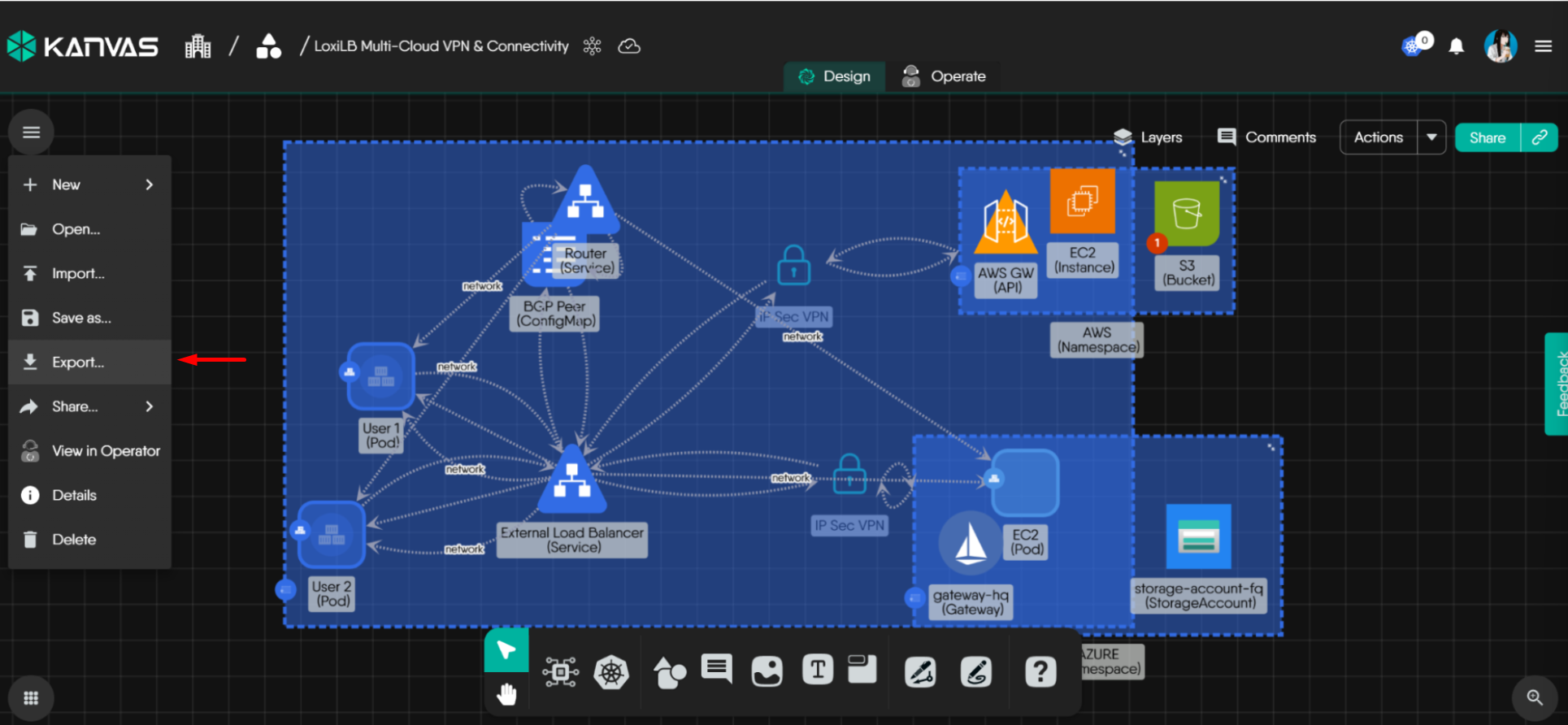
Expand the Actions menu on the left and select export.
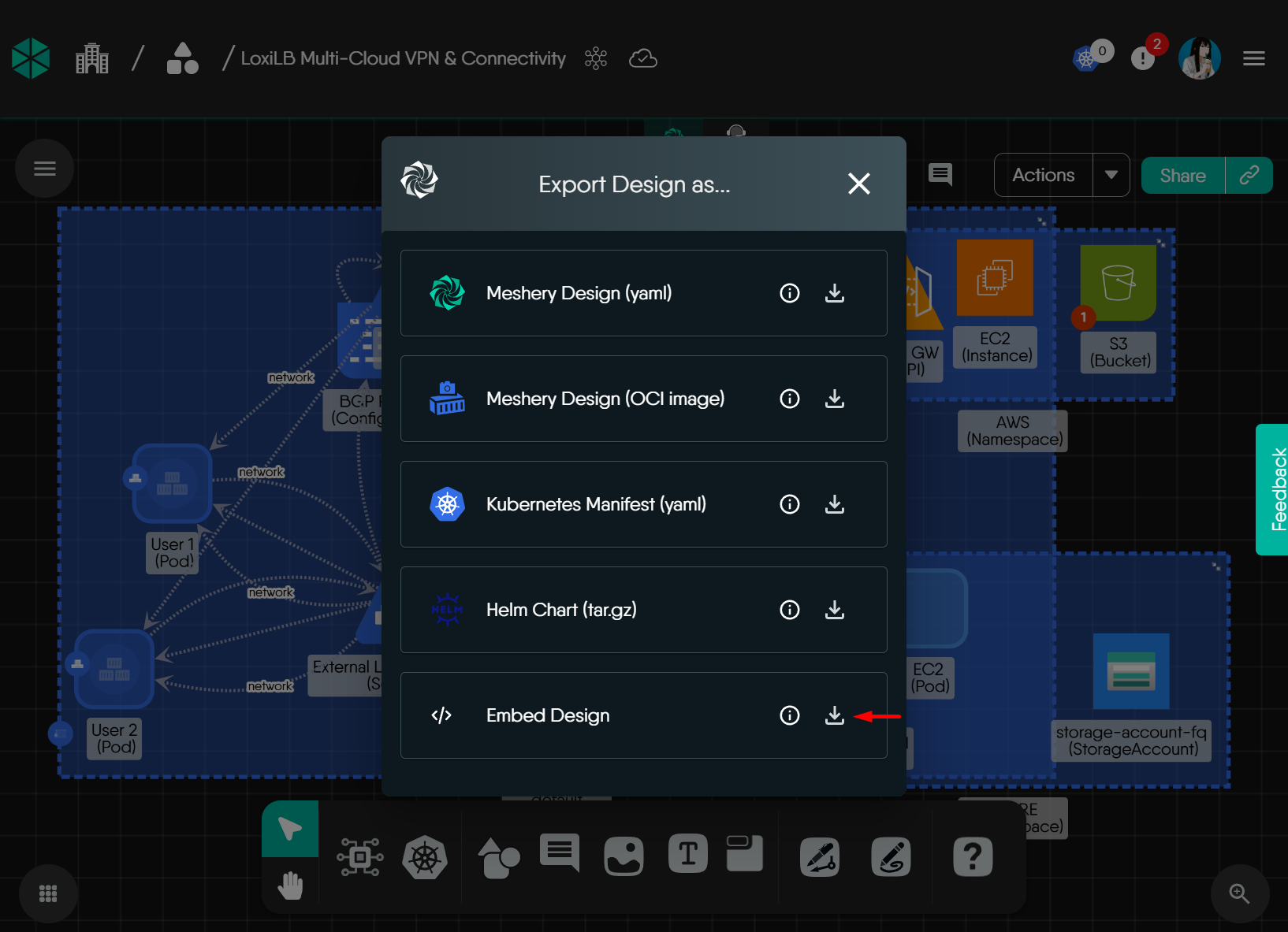
Click the download icon next to Embed Design
This will show the
jsfile to download and the HTML code snippet to copy.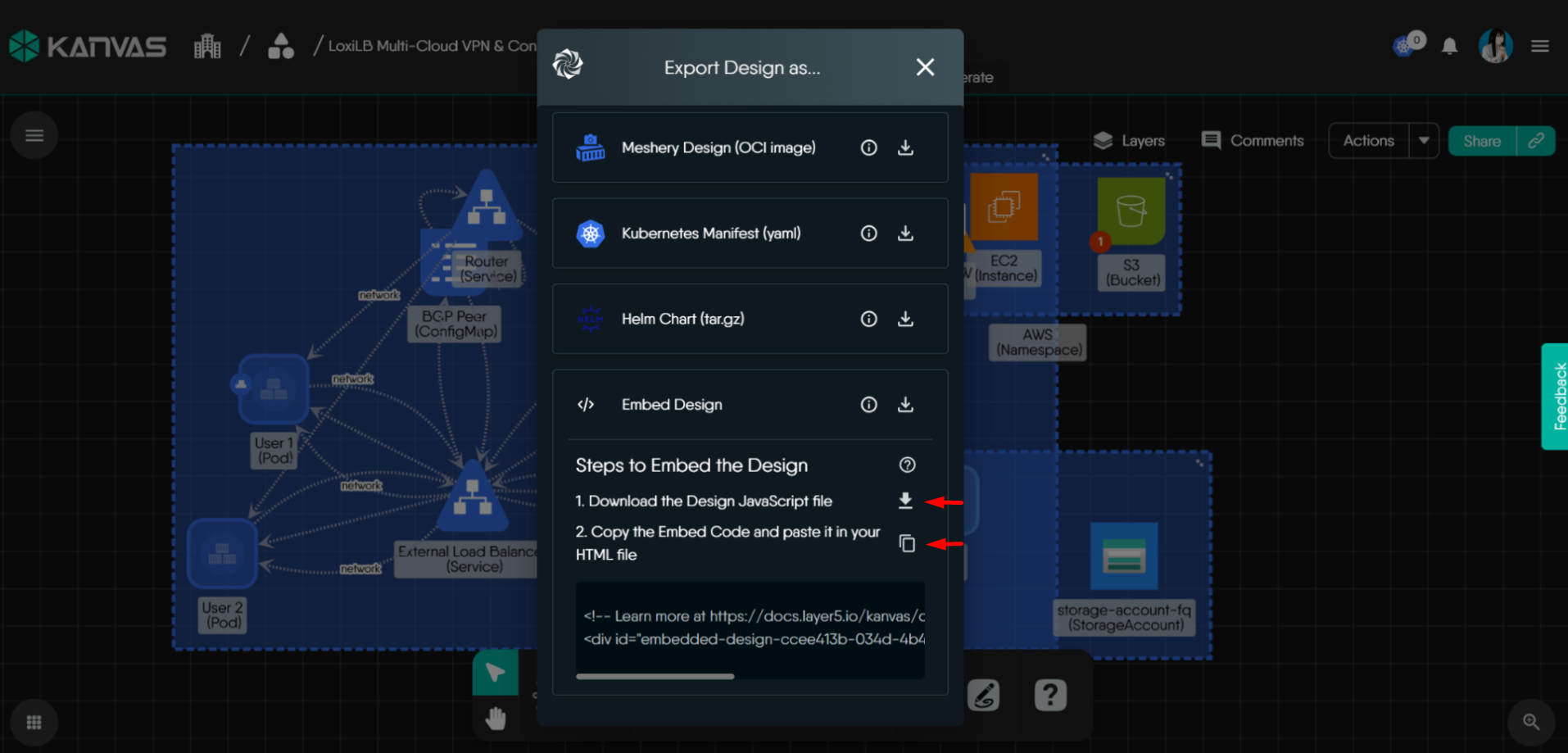
Now, create a
jsfolder in the path of your current WordPress themeNext, copy the downloaded
jsfile into this folder.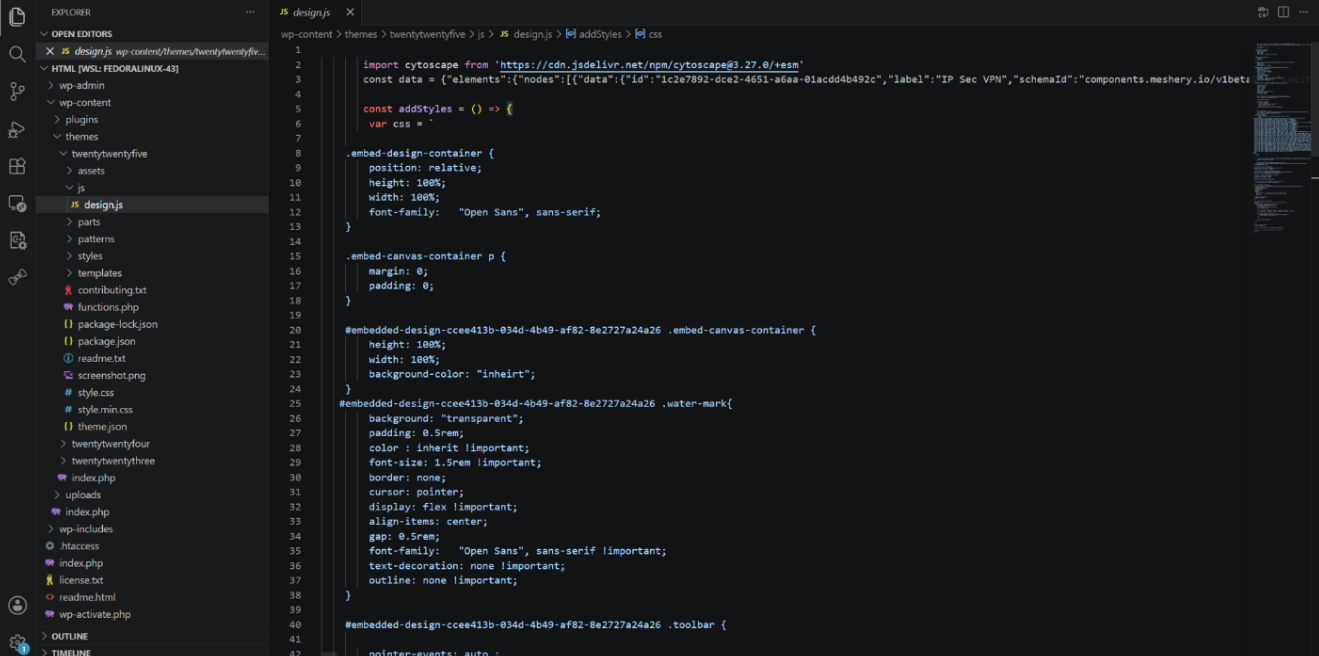
To the following script, replace
design.jswith the name of thejsfile which you just downloaded. Once this is done, go to thefunctions.phpfile in your current WordPress theme and copy the script.function kanvas_design_script() { $script_uri = get_template_directory_uri() . '/js/design.js'; wp_enqueue_script_module( 'kanvas-design', $script_uri, array(), '1.1.0', ); } add_action('wp_enqueue_scripts', 'kanvas_design_script');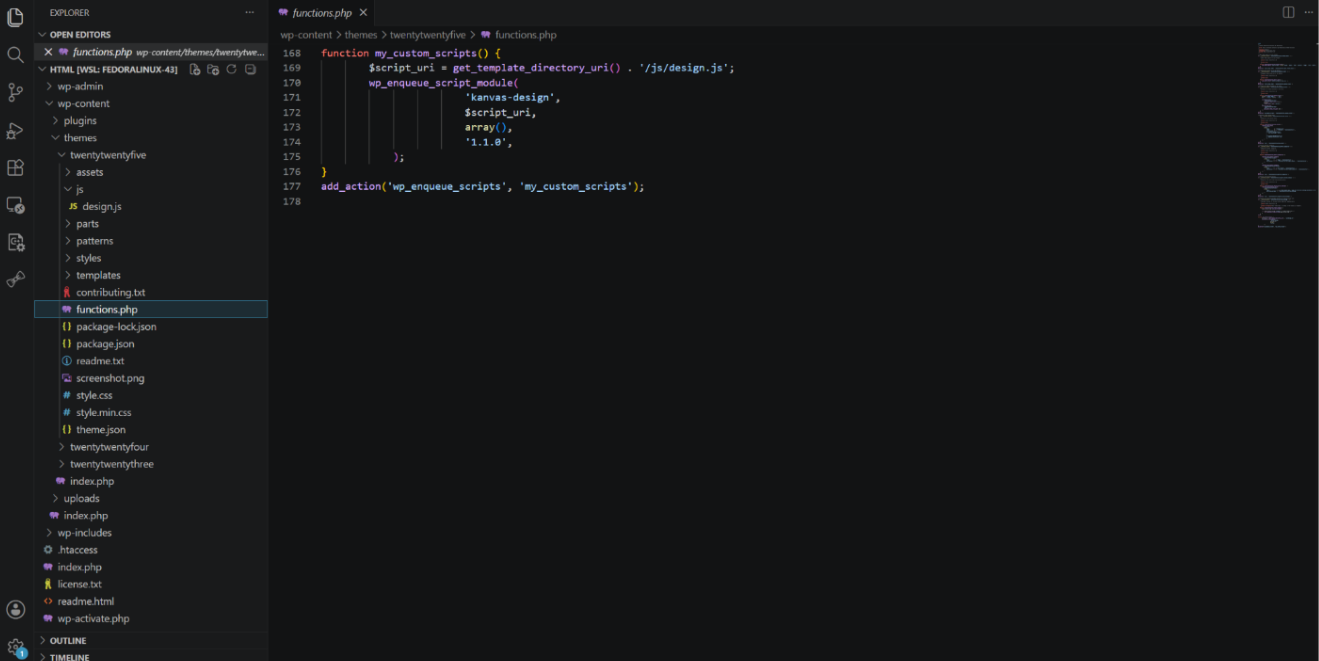
Open the WordPress post where you want to embed the design in edit mode and add a Custom HTML block.
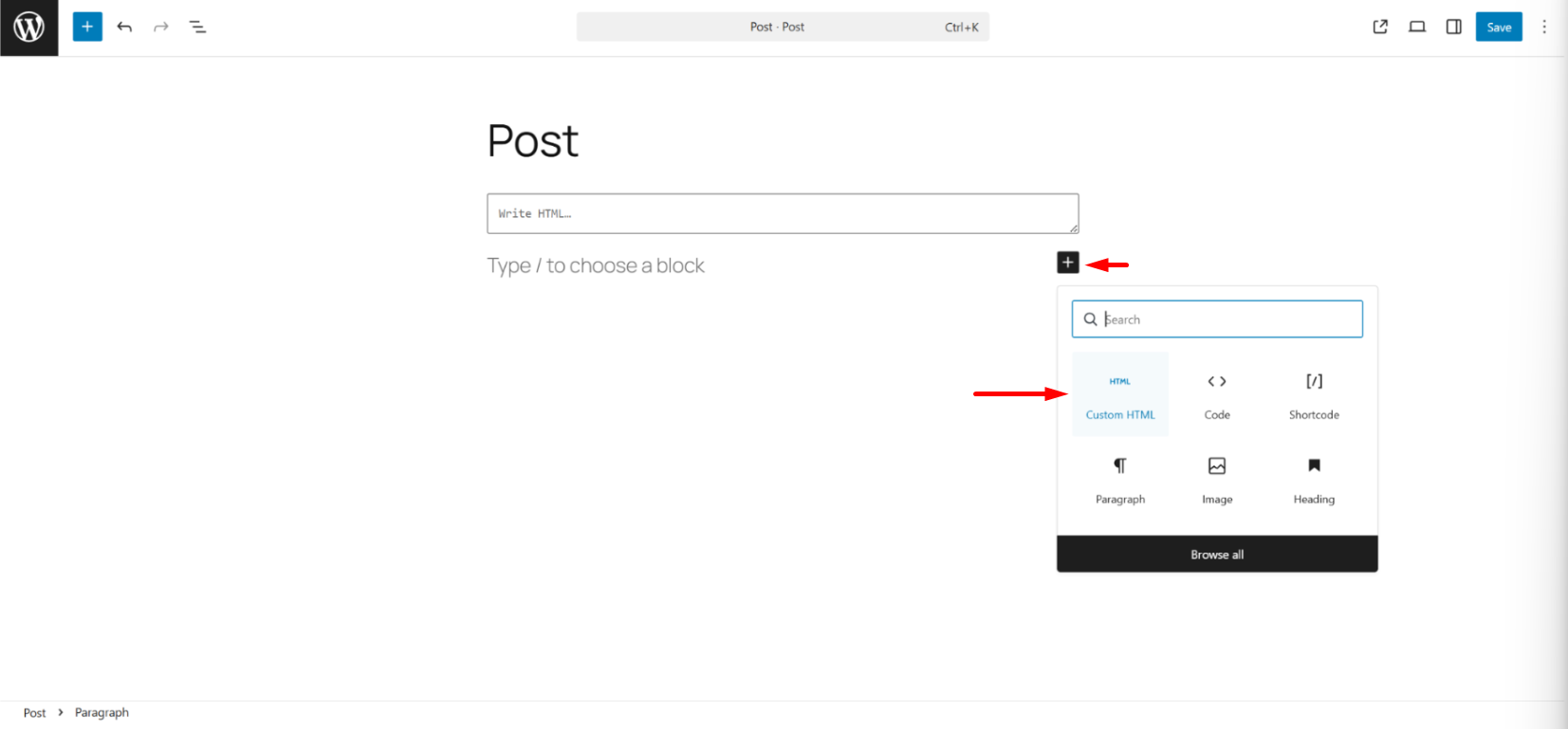
Paste the div element from the Embed Code copied from Kanvas.
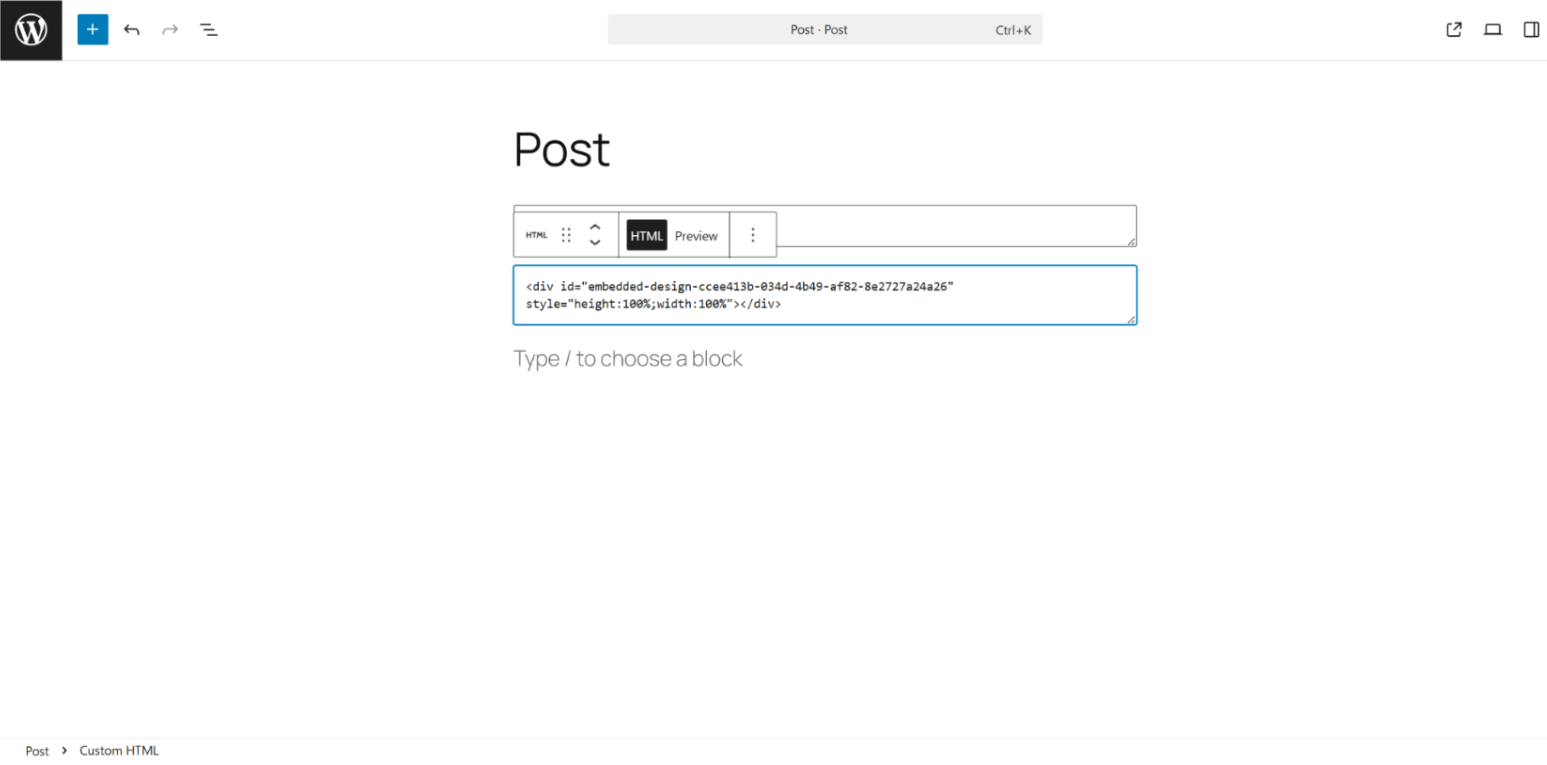
Click Preview to validate that the design is rendered.
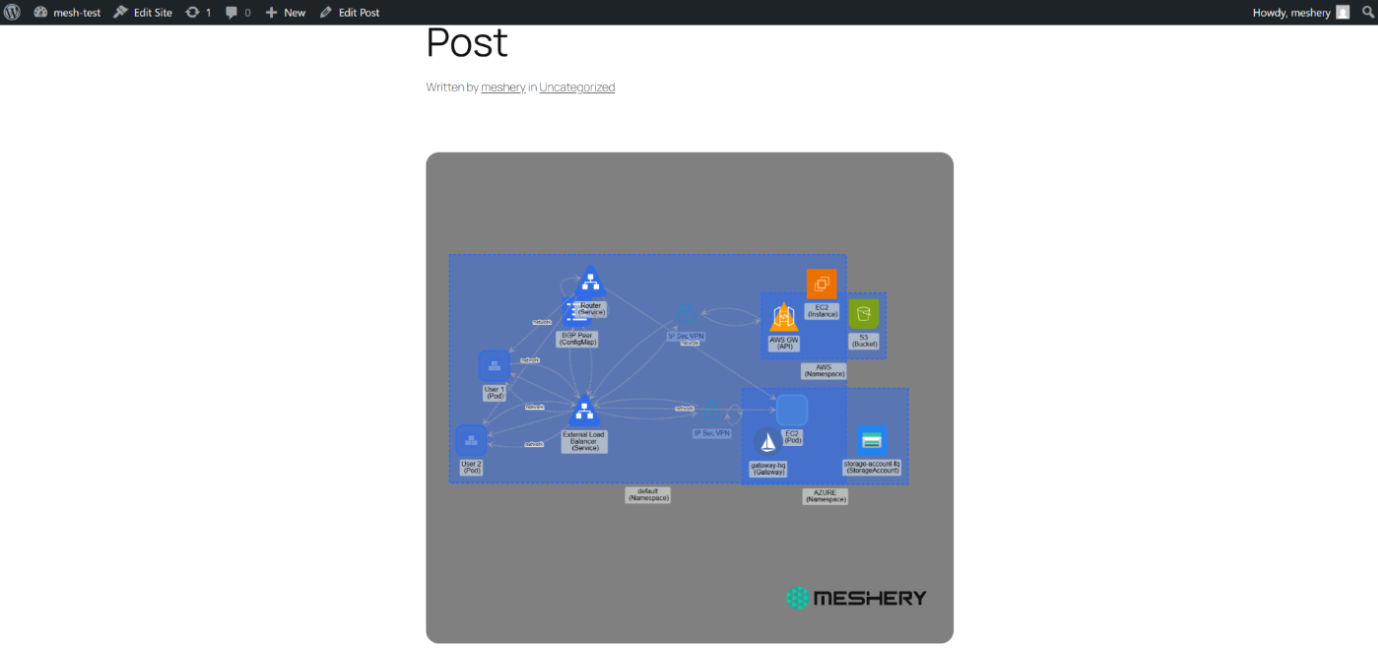
Publish the WordPress post and share.


Related Reading
- Building a GCP Data Pipeline Design
- Collaborative Editing
- Cross-Org Design Access: stellar-saas-platform
- Deploy AWS EC2 Instances with Meshery
- Deploy Azure Storage Account with Meshery
- Deploy Azure resources with Meshery
Recent Discussions on Kanvas
- Jul 12 | Unleash Visual Power: Import Your Configs by zihan kuang
- Oct 14 | Explore Meshery's Published Relationship Design Examples by Awani Alero
- Oct 03 | Design Review RFC: Kanvas Empty State Enhancement by Lee Calcote
- Jul 19 | [For Discussion] Visual indication of semantically vs non-semantically meaningful Meshery components by Lee Calcote
- Jun 07 | What are the conditions for a "System is unhealthy" warning? by James
- May 30 | Looking for a meshmate to help with first PR by Faisal Imtiyaz123
- Feb 28 | For Discussion: Capturing potential, but unrealized Relationships in Design Snapshots by Lee Calcote
- Feb 12 | Hint on Scaling & Verifying Cronjob in Playground by Sandra Ashipala