Work with Tags
Categories:
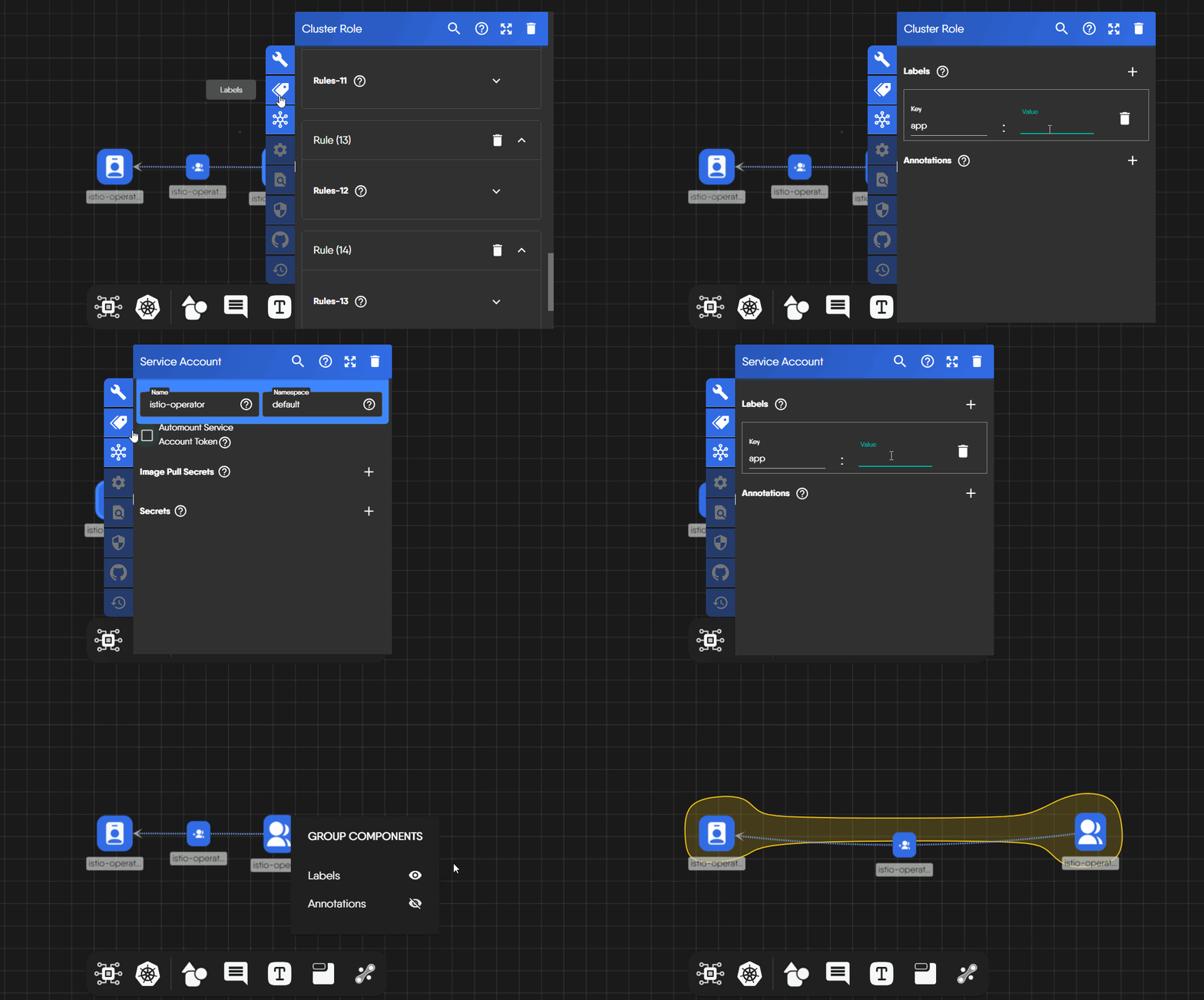
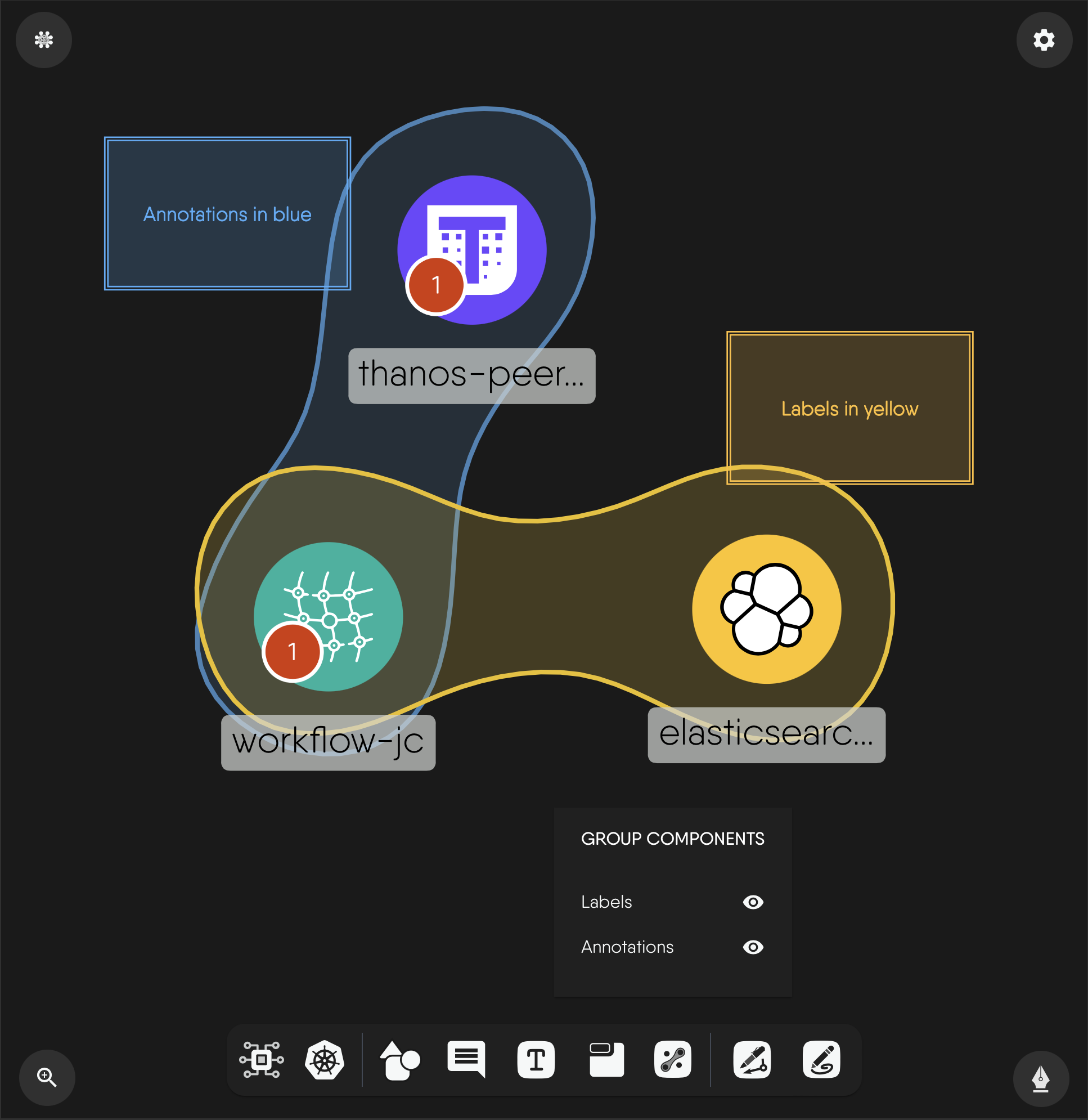
Tags are the key-value labels and annotations on a component. When components share matching labels, Kanvas groups them in a TagSet, a shaded region drawn around the matching components. Use tags to see which components belong together, such as the Service and Deployment of one application.
Add labels and annotations 🔗
Open a component’s configurator and go to its Labels tab. It holds two key-value maps:
- Labels identify and select Kubernetes components.
- Annotations attach extra metadata to a component.
Values are strings and default to empty. The form checks only the type, so it does not enforce Kubernetes label syntax. Edits are written 300 ms after you stop typing and trigger a relationship evaluation. See Add and Configure Components.
How grouping works 🔗
Grouping is automatic. No button creates a TagSet. After you change labels, Kanvas evaluates the design, and where the registry’s relationship definitions say labels match, it creates a TagSet and draws a translucent steel-blue region around the group. The Layers panel lists these as hierarchical TagSets.
- To remove a TagSet, change the labels so they no longer match.
- To hide TagSets, switch off their toggle in the Layers panel. Evaluation continues.
Limits 🔗
| Limit | Behavior |
|---|---|
| Render fidelity | TagSets draw only in Full render fidelity. |
| Maximum drawn | 30. Past that, Kanvas warns “Skipped rendering of N matchlabels relationships due to limit of 30”. |
| Region outline | Kanvas builds the outline from the first 10 members of a group. Later members are still inside the region. |
| Adaptive mode | With more than 5 TagSets, Kanvas suggests disabling them to improve performance. |
What tags do not do 🔗
- Designer has no filter that shows only components with a given tag. Operator mode filters live resources by namespace, kind, model, label, and free-text search.
- Palette search matches model and component names, not labels.
See also 🔗
- Relationships: how TagSets fit with the other kinds.
- Create Relationships: hiding relationship kinds.
Related Reading
- Whiteboard on the Canvas
- Working with Canvas Objects
- Add and Configure Components
- Build Designs
- Canvas Actions
- Clone a Design


Recent Discussions on Kanvas
- Jul 12 | Unleash Visual Power: Import Your Configs by zihan kuang
- Oct 14 | Explore Meshery's Published Relationship Design Examples by Awani Alero
- Oct 03 | Design Review RFC: Kanvas Empty State Enhancement by Lee Calcote
- Jul 19 | [For Discussion] Visual indication of semantically vs non-semantically meaningful Meshery components by Lee Calcote
- Jun 07 | What are the conditions for a "System is unhealthy" warning? by James
- May 30 | Looking for a meshmate to help with first PR by Faisal Imtiyaz123
- Feb 28 | For Discussion: Capturing potential, but unrealized Relationships in Design Snapshots by Lee Calcote
- Feb 12 | Hint on Scaling & Verifying Cronjob in Playground by Sandra Ashipala