# Exploring Designer
> Designer mode is for those who want to create their own Kanvas, using the palette of components provided by Meshery.
Kanvas Designer is the visual canvas where you create, edit, and collaborate on cloud-native infrastructure designs. Using a drag-and-drop palette of components — from managed Kubernetes clusters and serverless functions to databases and object storage — you can model entire environments, annotate connections, and share living diagrams with your team, all without leaving your browser.
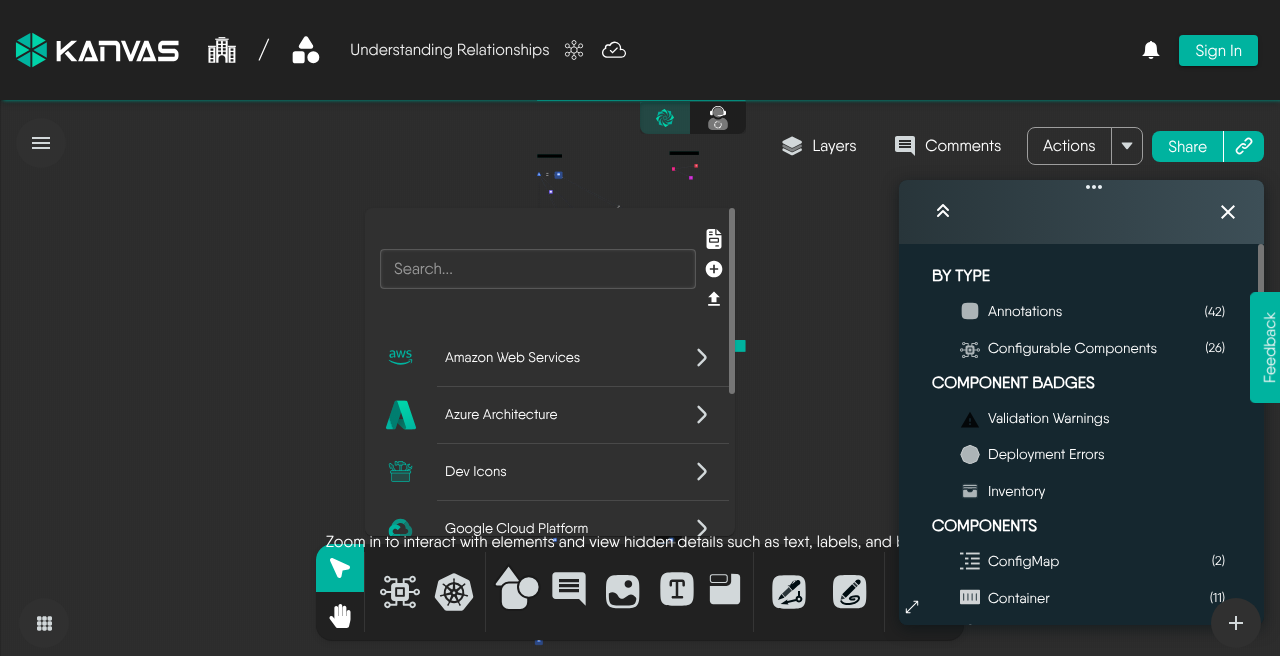
Designer workspace (anonymous capture, Sep 2026): bottom dock tools, Layers panel, and Layers / Comments / Actions / Share in the header. Chrome may differ slightly from older MeshMap-era screenshots elsewhere in these docs.
## Building the `api-platform-aws` Design
Five owns the `api-platform-aws` design in the `orbital-production` workspace and asked Jordan Reyes — the Orbital Labs team's go-to designer — to build out the architecture. Jordan opens the design in Kanvas Designer, takes one look at the blank canvas, and gets to work.
She works from the component palette on the left, pulling in the services that will carry production traffic. An Amazon EKS cluster goes down first — the spine of the platform. Alongside it she places an AWS API Gateway to handle ingress, an AWS Lambda function for lightweight processing at the edge, an Amazon RDS instance configured for PostgreSQL, and an Amazon S3 bucket for object storage. Each component snaps into position as she arranges them across the canvas.
With the components placed, Jordan draws connections to model the data flow. API Gateway sits at the front, routing requests into Lambda. Lambda, in turn, calls back into the EKS cluster where the core services run. From EKS, two paths fan out: one to RDS for relational data, another to S3 for files and artifacts. The topology is legible at a glance — a quality Jordan treats as a design constraint, not a side effect.
She pauses at the RDS component and opens the comment panel to annotate the connection: *"Primary read replica — do not connect to staging."* The note will be visible to anyone who opens the design, surfaced directly on the canvas without needing to hunt through external tickets or wikis.
Jordan shares the design with Rex Park, granting him reviewer access so he can inspect the layout and leave feedback without accidentally moving anything.
Rex opens `api-platform-aws` in Kanvas Designer and traces the connection paths Jordan laid out. He sees the Lambda-to-EKS link and adds his own comment on it: *"Should Lambda connect directly to EKS or go through an internal ALB? Worth discussing before we deploy."* The comment pins to the connection, not to a chat thread.
Jordan sees the notification and comes back to the canvas. They hash it out in the comment thread, land on the ALB approach, and Jordan draws a new connection representing the internal Application Load Balancer sitting between Lambda and the cluster's service mesh entry point. The design updates in place — no version-named duplicates, no stale exported images — and Rex can reload and see the revised architecture immediately.