Recognizing User and Contributor Milestones
Categories:
Layer5 badges are one of the many ways that we recognize the efforts of our contributors and uplift our users. Layer5 badges represent milestones that you achieve both in using and in contributing to Layer5-supported open source projects. As a contributor, this is how you demonstrate your ownership, dedication, skills and loyalty to Layer5. As a user, this is how you demonstrate your prowess.
Info
See all Achievement and all Project badges in the Badge Gallery.How to Earn Badges 🔗
Earning Layer5 badges is both rewarding and straightforward. Each badge is tied to specific activities. For users, badges for activities such as using our projects, talking about the projects, sharing your successes and what you like about them. For contributors, badges include activities such as submitting code, assisting with documentation, participating in community events, and more. As you accumulate contributions in various areas, you’ll begin to unlock badges that showcase your multifaceted involvement.
These badges will be prominently displayed on your Layer5 community profile, visually representing your journey as a contributor. Not only does this serve as a source of personal pride, but it also helps others in the community recognize your expertise and dedication.
Project Badges in the Layer5 community program are assigned by an admin when a user contributes to a particular project. The community handbook describes when Achievement Badges are awarded. Inside Layer5 Cloud, the only badge awarded automatically is the one tied to an Academy quiz. Layer5 Cloud awards no other badge automatically. Sharing or creating a design does not award an organization recognition.
Info
See the Recognition section of the Layer5 Community Handbook for details of when and how each badge is awarded.How to Embed Badges 🔗
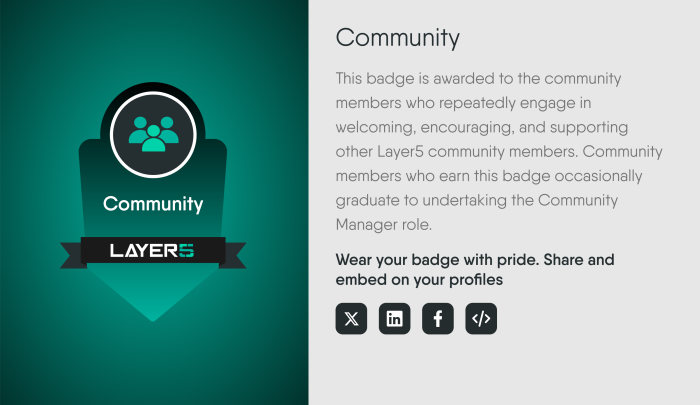
To share your badges on other social profiles, utilize the provided embedded code and direct share functionality. Access your badges from the Layer5 Cloud profile badges section, and then use it to post your achievements on social media platforms seamlessly. This enables you to showcase your Layer5 contributions and milestones to a wider audience.
Follow these steps to display your badge: 🔗
- Visit your Layer5 Cloud Profile to see the badges
- Click on the badge, which you wanted to display
- Copy the html or the markdown code by clicking the Embed Code icon
- Paste the code in your site
FAQ 🔗
Is there a limit to the number of badges that I can earn?
There is no set limit to the number of badges you can earn within the Layer5 Recognition Program. Your achievements and contributions determine the badges you receive, showcasing your dedication and skills within the community.How do I share my badges on other social profiles?
To share your badges on other social profiles, utilize the provided embedded code and direct share functionality. Access your badges from the Layer5 Cloud profile badges section, and then use it to post your achievements on social media platforms seamlessly. This enables you to showcase your Layer5 contributions and milestones to a wider audience.How many badges are there?
With three sets of badges, each with their own echelons you’ll be collecting new badges for a while. Will you make it onto the badge leaderboard? New badges are being developed, so keep your eyes peeled for their emergence… or help us design a new one!Will there be other categories in the future?
Yes, we aim to expand badge categories to recognize a broader range of achievements and contributions, fostering a more inclusive and diverse community.Should I add these to my résumé?
Yes, incorporating Layer5 recognition badges into your résumé showcases your technical proficiency, commitment, and collaborative spirit, adding credibility to your open-source contributions and skills.Can I design a badge?
Yes, Layer5 encourages collaboration and welcomes your ideas to enhance the badge design process and community engagement.
Organization recognitions 🔗
A recognition is a badge that an organization defines and awards to its members. Recognitions mark milestones such as completing training, contributing to a project, or reaching a team goal. An awarded badge appears on the recipient’s public profile, where the recipient can share it.
Two kinds of badges exist:
- Organization recognitions are created and awarded by an organization’s administrators. This section covers them.
- Layer5 community badges belong to the Layer5 community recognition program described above.
| Task | What it needs |
|---|---|
| Create, edit, or delete a recognition | The Manage Recognitions permission in the organization that owns the recognition. Organization Admin, Provider Admin, and Academy Admin hold it by default. The Manage Recognitions control on the Organizations page is enabled for holders of Edit Organization. |
| Award a recognition to a member | Permission to update that member’s profile, held in an organization you share with the member. |
| View a badge | Anyone who can open the recipient’s public profile. |
You cannot award a badge to yourself. Layer5 Cloud refuses the request with a 403 error, including for a Provider Admin. The recipient is notified, and an event records who awarded which badge to whom.
Open Manage Recognitions from the Organizations page to see every recognition and to create, edit, or delete the ones your organization owns.
- The name must contain at least one letter or number.
- The label must be unique. A label that another organization has already reserved is refused with a 409 conflict.
- Ownership is fixed. A recognition belongs to the organization where it was created. You can edit or delete it only while that organization is selected. A recognition owned by another organization stays visible, but its edit and delete controls are disabled.
The recognition catalog read is unauthenticated and not scoped to an organization, so any recognition’s name and label can be read by anyone. Do not put sensitive text in a recognition’s name or description.
Administrators award a recognition to one member at a time, or set a member’s full badge list from the member’s profile editor. Both paths apply the same rules. Completing an Academy quiz awards the badge tied to that quiz. Removing a badge uses a separate request and needs the same permission to update the member’s profile.
A member opens a badge from the Badges tab of their public profile. The badge detail offers share buttons for X, LinkedIn, and Facebook, and an HTML snippet that embeds the badge image and links to the badge on the member’s profile. A profile badge link has the form https://cloud.layer5.io/user/<profile-id>?tab=badges&badge=<label>.