Subscription:
Recognize Members with Badges
Categories:
A recognition is a badge that an organization defines and awards to its members. Recognitions mark milestones such as completing training, contributing to a project, or reaching a team goal. An awarded badge appears on the recipient’s public profile, where the recipient can share it.
Two kinds of badges exist, and they come from different places:
- Organization recognitions are created and awarded by an organization’s administrators. This guide covers them.
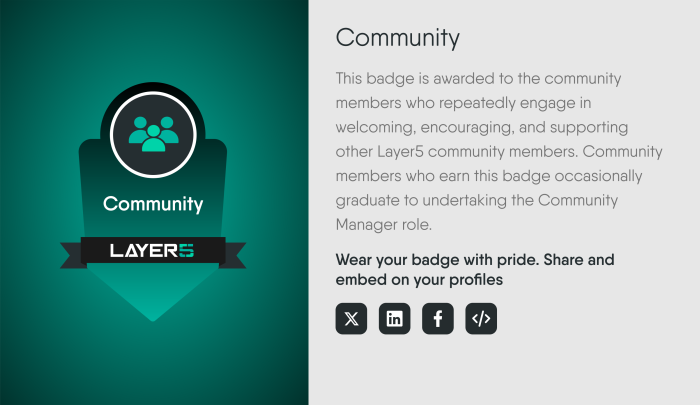
- Layer5 community badges belong to the Layer5 community recognition program. Browse them in the Badge Gallery and read how they are earned in the Recognition section of the Layer5 Community Handbook.
Who can do what 🔗
| Task | What it needs |
|---|---|
| Create, edit, or delete a recognition | The Manage Recognitions permission in the organization that owns the recognition. Organization Admin, Provider Admin, and Academy Admin hold it by default. The Manage Recognitions control on the Organizations page is enabled for holders of Edit Organization. |
| Award a recognition to a member | The permission to update that member’s profile, held in an organization you share with the member. |
| View a badge | Anyone who can open the recipient’s public profile. |
Two limits apply to every award:
- You cannot award a badge to yourself. Layer5 Cloud refuses the request with a 403 error, including for a Provider Admin. A badge is a public claim about what its holder completed, so someone else must grant it.
- The recipient is notified, and an event records who awarded which badge to whom.
Create a recognition 🔗
Open Manage Recognitions from the Organizations page to see every recognition and to create, edit, or delete the ones your organization owns.
Each recognition follows these rules:
- The name must contain at least one letter or number.
- The label must be unique. A label that another organization has already reserved is refused with a 409 conflict. Choose a different name.
- Ownership is fixed. A recognition belongs to the organization where it was created. You can edit or delete it only while that organization is selected. A recognition owned by another organization stays visible in the list, but its edit and delete controls are disabled, with the message that it belongs to another organization.
The recognition list itself is not private. The recognition catalog read is unauthenticated and not scoped to an organization, so any recognition’s name and label can be read by anyone. Do not put sensitive text in a recognition’s name or description.
Award a recognition 🔗
Administrators award a recognition to one member at a time, or set a member’s full badge list from the member’s profile editor. Both paths apply the same rules: the recipient is never the person awarding, and the awarder needs permission to update the recipient’s profile.
Some badges are awarded automatically. Completing an Academy quiz awards the badge tied to that quiz. Layer5 Cloud awards no other badge automatically.
Removing a badge uses a separate request from awarding and needs the same permission to update the member’s profile.
Share a badge 🔗
A member opens a badge from the Badges tab of their public profile. The badge detail offers:
- Share buttons for X, LinkedIn, and Facebook.
- An HTML snippet that embeds the badge image and links to the badge on the member’s profile.
A profile badge link has the form https://cloud.layer5.io/user/<profile-id>?tab=badges&badge=<label>.