Metrics
Categories:
Metrics provide valuable insights into how users engage with the designs, allowing us to understand usage patterns, identify trends, and make data-driven decisions to improve the user experience.
The design catalog can be accessed from the Layer5 Cloud catalog page at Layer5 Cloud Catalog.
Design Capabilities
Designs can be imported, exported, versioned, forked, merged, snapshotted, published, shared, embedded, templatized, and more. Learn more about DesignsYou can view the metrics of a Design in two ways:
Below each Design’s catalog card, you can see its metrics.
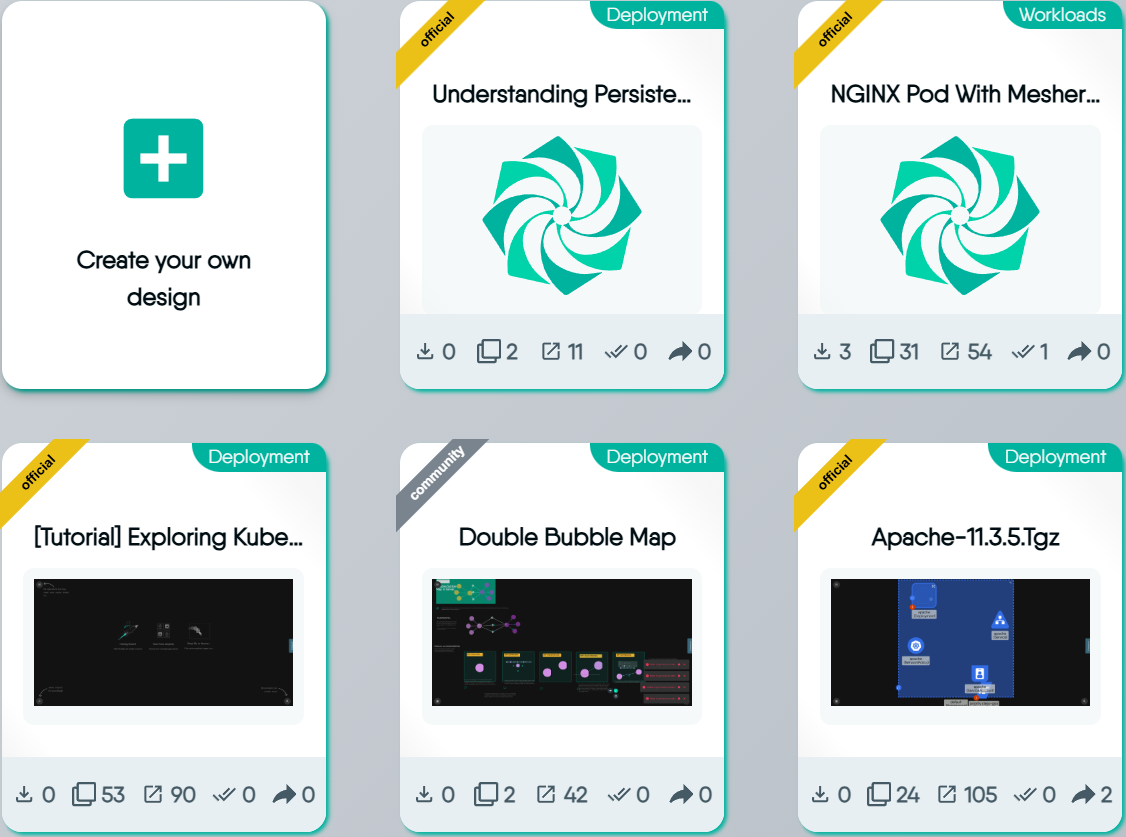
By clicking on the catalog card, a modal will pop up displaying all the information about the Design, including its metrics.
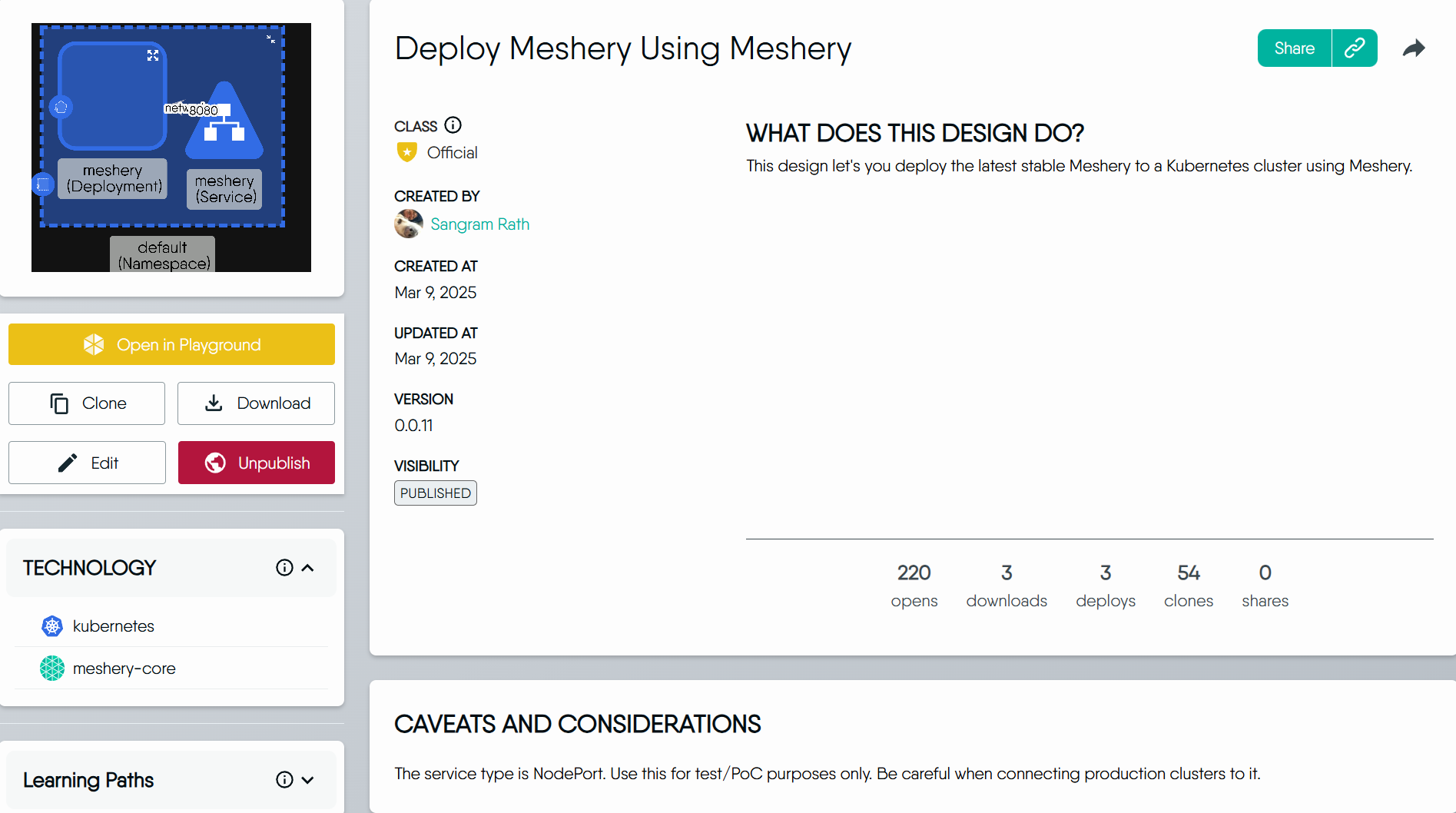


Here’s a detailed explanation of each metric we track:
1. Opens 🔗
This metric helps us understand how often users are viewing a particular design.
2. Downloads 🔗
Downloads provide insights into the popularity and demand for a design.
3. Deploys 🔗
This metric shows how often a design is implemented or put into action.
4. Clones 🔗
Cloning metrics indicate how often users are creating copies of a design for modification or personal use.
5. Shares 🔗
Shares measure how often a design is shared.
How to read the counters 🔗
The counters are lifetime totals.
- No deduplication. One person opening a design ten times adds ten Opens. The counters measure activity, not distinct people.
- Signed-out activity counts. Opens from anonymous visitors are included.
- No time window and no reset. A counter only grows. An older design has had more time to accumulate counts than a newer one.
- Edits do not reset them. Changing a design keeps its counts.
- Best effort. If recording a count fails, the action itself still succeeds, so a counter can undercount slightly.
The same five counters appear on catalog cards and drive the Leaderboard, which is the catalog sorted by one counter. By default that sort is Opens, highest first.

