Leaderboard
The Leaderboard is a visual representation of Designs, ranked based on key Metrics such as Opens, Downloads, Deployments, Clones, and Shares.
Categories:
Leaderboard provides a clear and engaging way to view and compare the performance of different Designs, highlighting the most popular and actively used ones within the Cloud.
Understanding Metrics
Metrics are quantifiable measures used to track and assess the status, progress, and performance of various activities and user interactions with Designs. Learn more about MetricsHow to Access the Leaderboard 🔗
The leaderboard is the catalog sorted by one of the usage counters. It is not a separate score. By default it sorts by Opens, highest first, ten rows per page. The dashboard also shows the leaderboard as a widget.
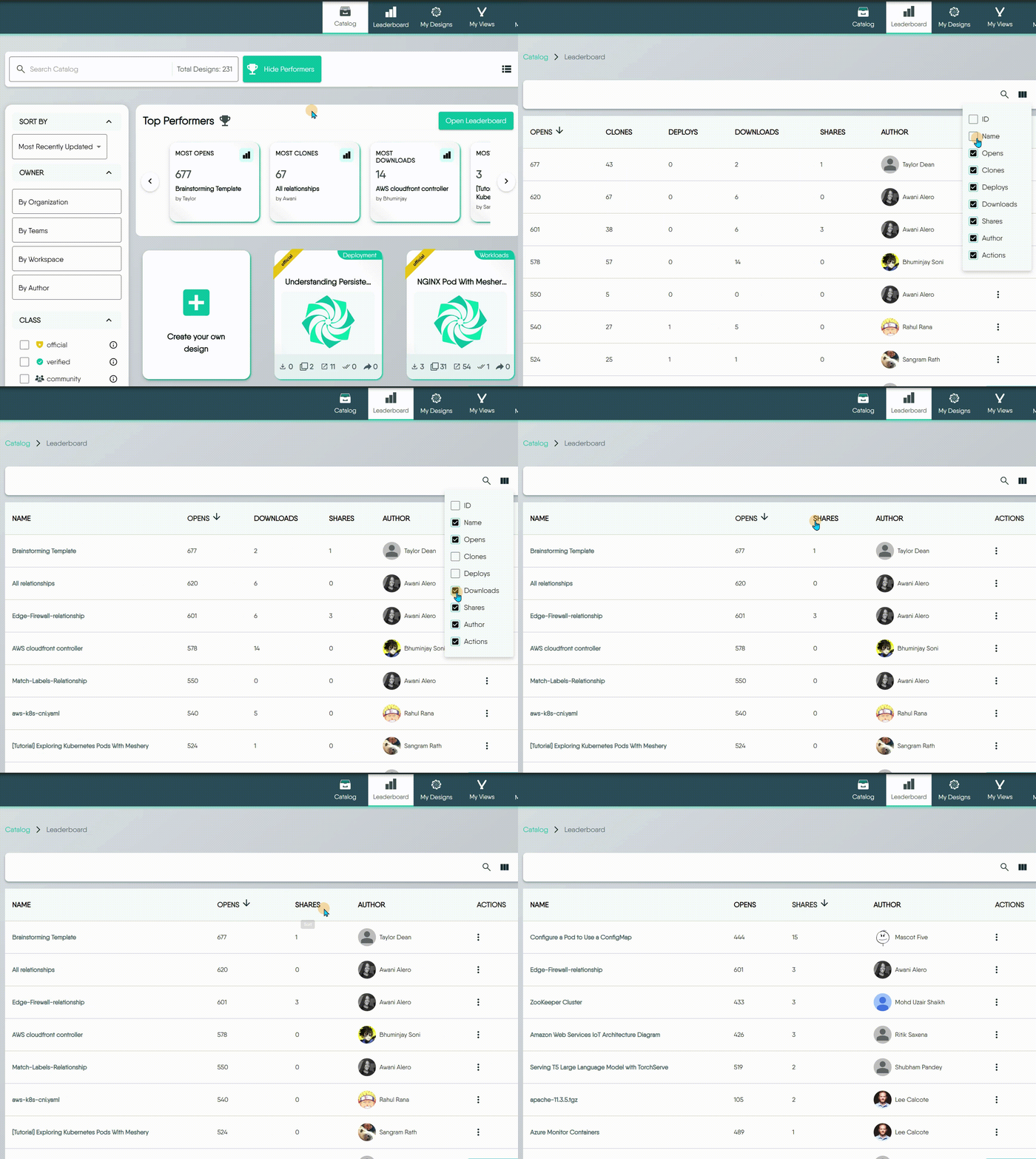
You can reach the full Leaderboard from the Catalog page: in Top Performers, click Open Leaderboard.
Viewing the leaderboard needs the View Designs permission. Without it, the page shows a permission-denied message instead of the table.

Using the Leaderboard Page 🔗
The Leaderboard page offers several ways to explore and interact with:
- Search for Designs: Click the Search icon to find designs by name. Search matches names only.
- Sort by Different Metrics: Click a metric column such as
Opens,Clones, orDownloadsto re-rank the list. The sort order is kept in the page address. - Filter: Narrow by Type and by Class. Each filter takes one value at a time.
- Customize Your View: Click the View Columns icon to show or hide specific metric columns.
- Take Actions: On a row you can clone, download, copy its link, share it, or open it in the Playground.


